Frequently Asked Questions
BaseBuilders is specifically built for architecture and engineering firms, helping reduce administrative burden and save time so teams can focus more on design work.
Still have questions?
General
What types of firms is BaseBuilders built for?
Small architecture and engineering firms, typically 5–40 people.
That’s the range where:
- Billing is too complex for spreadsheets
- But full ERP systems are overkill
Civil, structural, MEP, environmental, geotechnical, landscape architecture—it all fits. If your work is project-based and phase-driven, you've found your solution.
We Love Startups! Let us help you get going on the right foot.
Is My Firm Too Small?
Probably not.
BaseBuilders was built specifically for small architecture and engineering firms—typically in the 5 to 40-person range—where billing is too complex for spreadsheets, but full ERP systems are overkill. It doesn't take a battleship to catch a fish.
If you’re still managing projects in one place, time in another, and billing in a spreadsheet (or inside QuickBooks or Xero), you’re exactly the type of firm this was designed for.
In fact, smaller firms tend to see the biggest impact because:
- Billing is often handled by a principal who has better things to do
- There’s less margin for missed hours or scope creep
- Cash flow is critical and depends on getting accurate invoices out in a timely manner
- Systems haven’t been formalized yet—so fixing them is easier
If you’re under 5 people, it is still a great solution—especially if you’re growing and want to build the right foundation early. Many of our larger clients started out with a founder or two and a drafter.
The real question isn’t firm size. It’s whether your current process is costing you time, money, or visibility. If it is, you’re not too small—you’re ready.
We Love Startups! Let us help you get going on the right foot.
Is BaseBuilders too simple for larger firms?
Not if your accounting isn't too complicated for QuickBooks or Xero. We have multi-office firms with 100+ users.
If you’re looking for a full ERP with HR, CRM, and deep accounting controls, WE ARE NOT YOUR SOLUTION.
If your biggest issues are billing efficiency and project profit visibility, we've got your back.
How long does it take to get set up?
Most firms are up and running in about 10 days.
We guide you through a structured 7-day onboarding process:
- Import your companies, contacts, and projects
- Configure your billing settings
- Start entering time and generating invoices
It’s fast because we’re not trying to rewire your entire business. If you do your homework and gather your import data, you will easily meet the seven-day target. If you drag your feet, you will fall into the 10+ day range.
What happens to our existing data?
We help you bring over your:
- Companies and contacts
- Active projects
- Key historical data (as needed)
You don’t start from scratch. We have had plenty of firms reach back 5 years while other start with only current projects.
What if we’re still using spreadsheets today?
That’s the most common starting point.
Most firms don’t switch because they love spreadsheets. They switch because they’re tired of:
- Chasing time
- Rebuilding invoices
- Wondering what they missed
- And spreadsheets that are not up to date
If that sounds familiar, you’re ready.
Why do most A/E firms struggle with billing?
Because the tools they are using weren’t built for how they work.
Project phases, percent complete billing, consultant coordination, and scope changes don’t fit cleanly into generic systems.
So firms patch together spreadsheets, accounting tools, and manual processes.
That’s where the leaks happen.
What does billing look like at the end of the month?
Not a scramble.
Instead of stitching together spreadsheets, timesheets, and notes, you review what’s already been captured. Then generate invoices in batches, make any needed adjustments, and send them.
What used to take days typically takes hours—or less.
When is the right time to switch systems?
Usually earlier than firms think.
If billing takes days, cash flow feels tight, or you don’t fully trust your numbers, those are already signs.
Waiting doesn’t simplify things — it compounds the problem.
What are the benefits of your billing system?
Introduction
Billing software offers numerous advantages for architects and engineers, streamlining financial management and enhancing overall business efficiency. This report delves into the specific benefits that firms can gain from using billing software, supported by key points from various sources.
Key Benefits of Billing Software for AE Firms
1. Accurate Invoicing
Billing software helps eliminate errors often associated with manual invoicing, ensuring accurate, timely, and professional invoices. This accuracy reduces the likelihood of disputes and delays in payment, fostering better client relationships and financial stability.
2. Increased Efficiency
Automated billing processes significantly reduce the time spent on administrative tasks, allowing users to focus more on their core competencies, such as designing and planning. This efficiency not only saves time but also enhances productivity and overall business operations.
3. Comprehensive Financial Overview
With all financial data integrated into a single platform, billing software provides a clear financial overview. Architects, engineers, and designers can easily track expenses, payments, and outstanding invoices, enabling better financial management and informed decision-making.
4. Improved Cash Flow
Prompt and accurate invoicing facilitated by billing software can lead to faster payments, thereby improving the firm’s cash flow. This is crucial for maintaining financial health and ensuring the smooth operation of the business.
5. Enhanced Client Relationships
Accurate and timely billing improves client satisfaction by providing a transparent and professional invoicing process. This can enhance the firm's reputation and foster long-term client relationships. Working with repeat clients is always better than foraging for new work.
6. Time and Expense Tracking
Billing software includes robust time and expense tracking features, ensuring that all billable hours and expenses are accurately recorded. This precision is essential for generating precise invoices and managing project budgets effectively.
7. Financial Reporting and Analytics
Comprehensive financial reporting and analytics features help project managers and firm leaders gain insights into their financial performance and project progress. These insights are crucial for making informed business decisions and improving overall efficiency.
8. Enhanced Productivity
By automating repetitive tasks and streamlining the billing process, billing software frees up valuable time that can be redirected toward more productive activities. This boost in productivity can support the growth and success of your firm.
9 Improved Financial Control
BaseBuilders software provides powerful financial control tools like expense tracking, budget monitoring, and financial reporting. These tools allow firms to control their finances effectively and avoid financial pitfalls.
10. Real-Time Financial Data
Advanced billing software provides real-time updates on payments, unpaid invoices, and other critical financial data. This enables firms to make informed decisions and manage their finances proactively.
Conclusion
Billing software offers a multitude of benefits for architects and engineers, from improving accuracy and efficiency to enhancing client relationships and financial management. By adopting BaseBuilders, firms can streamline their operations, improve cash flow, and focus on delivering exceptional projects. The insights provided in this post highlight the importance of billing software in elevating architectural and engineering firms’ financial management practices.
Will my team actually use it?
If the system is complicated, they won’t.
BaseBuilders is designed for how A/E teams already work:
- Simple time entry tied to phases
- Clear project structure
- Minimal friction
Adoption tends to be high because it removes work rather than adds it.
Getting firm principals to do their timesheets is a different story. It is often like shooting pool with a rope.
Yes, there a nuances to learn, but if your staff can book a reservation on VRBO or AirBnB, they will do just fine.
Why Should I Partner With Basebuilders?
Let’s face it: billing sucks—and you don’t want to do it. We make it easy.
But more importantly, we make it accurate, fast, and profitable.
BaseBuilders isn’t just invoicing software. It’s built specifically for architecture and engineering firms, where billing is tied to phases, percent complete, time, expenses, and consultant costs—not just line items on an invoice.
Instead of chasing timesheets, reconciling spreadsheets, and second-guessing invoices at the end of the month, you get a system that:
- Captures every billable hour automatically
- Applies the right billing method to each phase (fixed fee, hourly, NTE, T&M)
- Tracks retainers, consultants, and additional services without workarounds
- Shows real-time project profitability with overhead applied
- Generates clean, accurate invoices in minutes—not days
Most firms don’t realize how much revenue slips through the cracks until they fix their billing process.
We don’t just help you bill faster.
We help you stop under-billing—and start running a more predictable, profitable firm.
Does BaseBuilders Handle Complex Tax Rates
Yes. Our system manages jurisdictions with multiple tax rates, such as GST and PST. You can have as many rates on an invoice as need and different rates for individual line items. We even handle the 30% cap on PST (RST) that some Canadian Provinces have.
Pricing, Contracts, Guarantees
Is there a contract?
No! You simply subscribe on a monthly basis and can cancel at any time.
If you cancel within the first 90 days of becoming a first-time client, your subscription will be refunded.
How is pricing structured?
Pricing is user-based, with three different roles depending on how each user needs to interact with the system.
You only pay for the level of access each user needs. No bundled ERP pricing or unnecessary modules. Check out our pricing page.
Fully transparent. No contracts. Simple month-to-month subscription.
What happens if it doesn’t work for us?
Then you don't keep it. There are no contracts. Cancel at any time.
Cut Your Billing Time by 60% Within 90 Days — Or We Refund Every Penny. If it’s not delivering value, you’re not stuck in a long-term contract.
Refunds are offered to first-time new clients who cancel within the first 90 days.
Is It Easy to Cancel?
You betcha!
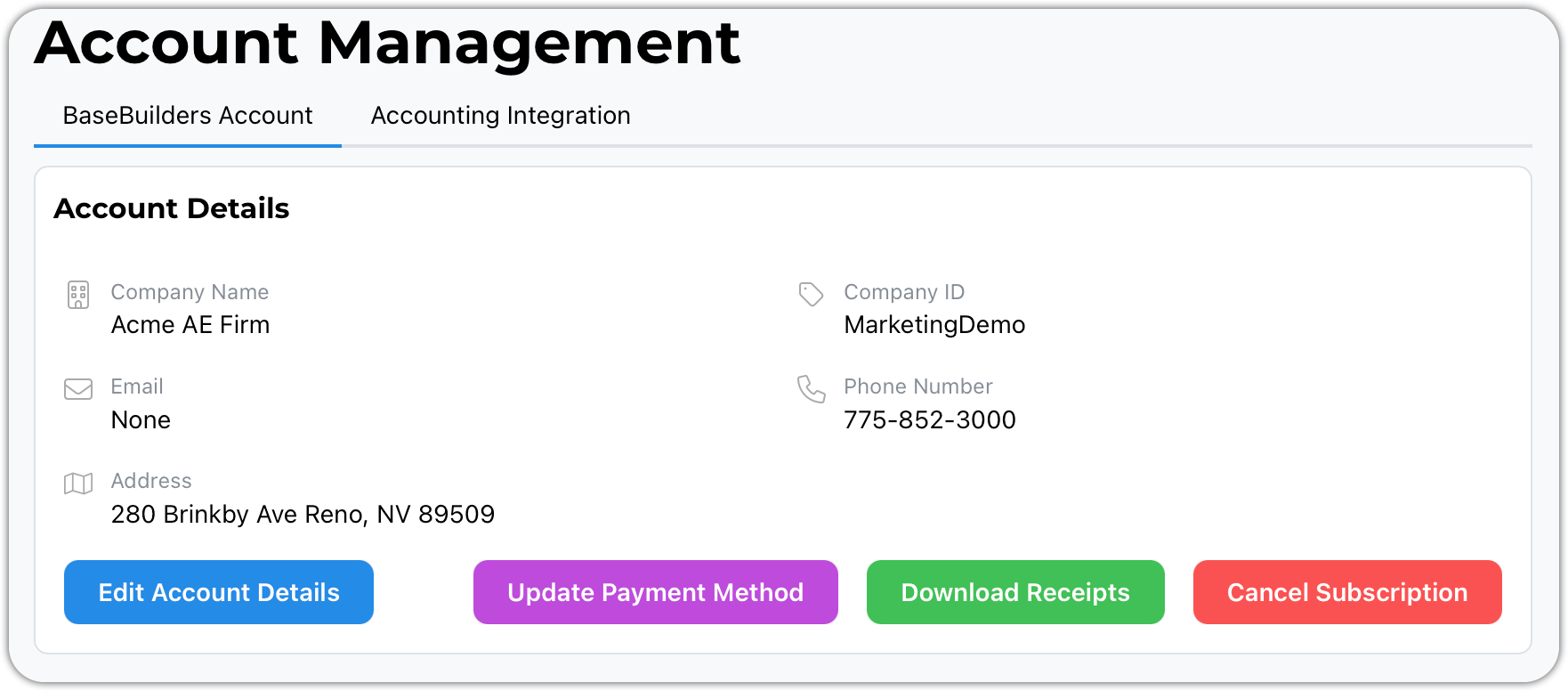
There are no long-term commitments. You can cancel your account from within the app with no questions asked.
Well, we may ask you why you are leaving us in case there's something we can improve. Afterall, we are always a work in progress.
How Does The Guarantee Work?
It is very simple.
At any time within the first 90 days, you decide that you and BaseBuilders are not a good fit, cancel your subscription — it only takes a couple of clicks. Then, email support@basebuilders.com to request your refund, and we will cheerfully refund 100% of your investment. Period
On The Technical Side
Does the system handle general ledger accounting?
No. But we integrate with QuickBooks and Xero. Why should we reinvent the wheel and ask you to learn a new system?
Both Xero and QuickBooks work excellently for your tax accounting. They fall short or fail in job cost reporting, calculating net profits by project, and managing your workflows. Even the internal invoicing isn't so great.
That is where BaseBuilders shines. Our solution is built to streamline the operations of architecture and engineering firms. We manage the entire project lifecycle from initial proposal to design, through construction, and on to your final invoice.
How is BaseBuilders different from QuickBooks or Xero?
QuickBooks and Xero are accounting systems. They’re built to track financials—not to manage project-based billing.
They don’t understand phases, percent complete billing, WIP, or how time, expenses, and consultants roll up into an invoice.
BaseBuilders sits in front of your accounting system as the operational layer. We handle the complexity of project billing, then push clean financial transactions into QuickBooks or Xero.
You keep your existing accounting.
We fix your billing.
Can I bill fixed fee, hourly, and percent complete in the same project?
Yes.
Each phase can have its own billing method. You can mix fixed fee, hourly, NTE, time & materials, or expense-only within a single project. This reflects how A/E contracts actually work—not a simplified version.
How does BaseBuilders handle retainers?
Retainers are tracked as real balances—not notes in a spreadsheet.
You can:
- Create a retainer invoice
- Track the balance at the project level
- Apply it to future invoices as work progresses
No workarounds. No guesswork.
Can I track and bill consultant costs and markups?
Yes.
Consultants are tied directly to project phases. You can track their costs, apply markups, and include them in invoices automatically.
This is one of the most common places firms lose money. It’s handled natively here.
How do you prevent missed billable time or scope creep?
You don’t rely on memory at the end of the month.
Time is tied directly to phases as it’s entered. Additional services can be flagged and tracked separately. Everything flows into billing automatically.
If the work happened, it shows up.
We do not let anything fall through the cracks.
Every billable, fixed fees, hours, expenses, services, and subconsultant pass-thru, is clearly visible when you are creating or editing an invoice.
How does BaseBuilders calculate project profitability?
Every hour of time has a real cost — not just a billing rate.
- Direct Labor
- Overhead
- Profit
We apply your overhead factor to labor and combine it with consultant costs and expenses. That gives you true project profitability, not a rough estimate. We even factor in your firm's target profit to show fee burn.
Can I see profitability in real time?
Yes.
You don’t have to wait until invoicing is done or the project is closed.
As time is entered and costs accumulate, profitability updates in real time—so you can make decisions while the project is still active.
How is this different from Monograph, BQE CORE, or Ajera?
Most systems fall into two camps:
- Too simple → they miss real A/E billing subtleties
- Too complex → they become expensive, slow, and hard to maintain
BaseBuilders is purpose-built for small A/E firms. It focuses on the part that actually impacts your cash flow and profitability: billing.
That means:
- Flexible phase-based billing (fixed, hourly, NTE, T&M)
- Real-time profitability with overhead applied
- Fast, batch invoice generation
- No ERP bloat
- No contracts. Simple monthly subscription.
If you’ve looked at those platforms and thought, “this feels like too much,” you’re the ideal client for BaseBuilders.

BaseBuilders’ easy-to-use software is specifically designed to help small to mid-sized firms track time, manage projects, stay on top of expenses, and more. We’ll handle the invoicing for you so you can focus on growing your firm and designing wonderful spaces.